
Gaming Setup for Small Spaces (Under $500)
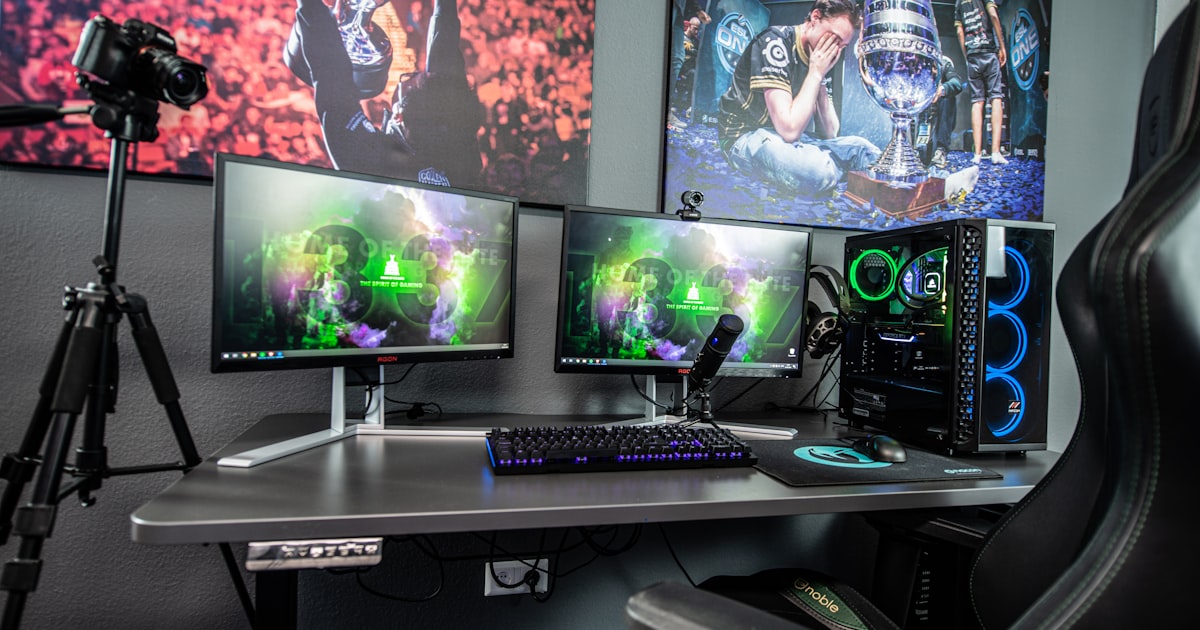
You don’t need a dedicated gaming room. You need a corner, a small desk, and the right gear. Here’s how to build a complete setup in minimal space for under $500.
The Core Setup
1. The Monitor — 24” 1080p IPS Monitor (~$120)
24 inches is the sweet spot for small spaces — big enough to see everything, small enough for a compact desk. IPS panel for good colors and viewing angles. 75Hz for smooth gameplay.
Why not a TV? Monitors have better response time, take less space, and don’t need a TV stand.
2. The Controller — Xbox Wireless Controller (~$55)
Works with PC, Switch (with adapter), and obviously Xbox. The most comfortable controller ever made. Get a USB-C cable so you never need batteries.
3. Sound — Desktop Soundbar (~$30)
Fits under your monitor, powered by USB. Way better than monitor speakers, doesn’t take up desk space like bookshelf speakers. For late night gaming, grab a budget gaming headset (~$25).
4. The Desk — Small Computer Desk 40” (~$60)
40 inches wide fits in almost any corner. Enough for a monitor, keyboard, and mouse pad. Some come with built-in cable management and a shelf underneath.
5. The Chair — Ergonomic Office Chair (~$90)
Don’t buy a “gaming chair.” Ergonomic office chairs are more comfortable, last longer, and don’t make your room look like a teenager’s bedroom. Look for lumbar support and adjustable height.

Photo from the Seattle Party Bus archive
Accessories That Matter
| Item | Why | Cost |
|---|---|---|
| Large mouse pad | Protects desk, smooth surface | $12 |
| Monitor mount/arm | Frees desk space, adjustable height | $25 |
| Cable management clips | Hide the cable mess | $8 |
| LED light strip | Bias lighting reduces eye strain + looks cool | $12 |
| Headphone hook | Keeps headset off the desk | $8 |
Total Cost Breakdown
| Item | Cost |
|---|---|
| 24” Monitor | $120 |
| Xbox Controller | $55 |
| Desktop Soundbar | $30 |
| Gaming Headset | $25 |
| 40” Desk | $60 |
| Ergonomic Chair | $90 |
| Accessories | $65 |
| Total | $445 |
Under $500 for a complete setup that looks clean, plays great, and fits in a 4-foot corner.
Console vs. PC: Which Is Better for Small Spaces?
If you’re building a small-space setup from scratch, the platform matters:
Console (Xbox Series S/X, PS5, Switch) is the simplest option. The Xbox Series S is genuinely tiny — smaller than most routers — and costs $299. Pair it with the monitor and desk above and you’re gaming in minutes. No driver updates, no compatibility issues. The downside? You can’t use the same setup for work.
PC Gaming is more flexible. A mini-ITX gaming PC can be surprisingly small — some are the size of a shoebox. You can game, work, stream, and edit video on the same machine. The downside? A capable gaming PC starts around $600-$800 for the tower alone (on top of the $445 desk/monitor/accessories budget).
Gaming Laptop is the ultimate space saver. Close the lid and it all disappears. A budget gaming laptop ($650-$800) with a laptop stand and external monitor gives you a dual-screen setup that folds down to nothing when you’re done.
Our recommendation: If space is your primary constraint and you want the cleanest setup possible, go Xbox Series S + the $445 desk setup above. Total investment: ~$745 for a complete gaming station that looks like a regular desk when you’re not playing.
Lighting: The Secret to Making Small Spaces Feel Bigger
Never underestimate lighting in a small gaming setup. The right lighting makes a cramped corner feel intentional and designed.
Bias lighting (LED strip behind your monitor) is non-negotiable. It reduces eye strain during dark games, makes colors pop, and costs $12. Stick a USB-powered LED strip to the back of your monitor — done.
Desk lamp with adjustable color temperature. A LED desk lamp that sits on top of your monitor (like the BenQ ScreenBar) takes zero desk space and provides perfect task lighting. Warm light for casual gaming, cool light for productivity.
Avoid RGB overload. One LED strip behind the monitor is tasteful. RGB keyboard + RGB mouse + RGB mousepad + RGB fans + RGB headset stand = your room looks like a casino. In a small space, less is more.
Space-Saving Tips
- Mount the monitor — frees up 30% of desk space
- Use a wireless controller — fewer cables
- Headphone hook under desk — not on a stand taking up space
- Cable management — 10 minutes of clips = clean look forever
- LED bias lighting — makes the space feel bigger and reduces eye strain
Gaming Setup for Apartments: Making It Work in Shared Spaces
Living with roommates or a partner? Your gaming setup needs to be considerate and convertible. Here’s how:
Sound management is everything in a shared space. Invest in a good closed-back gaming headset so you’re not blasting sound at midnight. Open-back headphones sound amazing but leak audio everywhere.
Make it dual-purpose. That 40-inch desk works for gaming AND remote work. Swap a controller for a keyboard during the day and nobody knows it’s a gaming station. A laptop docking station lets you connect your work laptop to the same monitor.
Keep it clean. A messy gaming corner in a shared apartment is a relationship killer. Cable management clips, a headphone hook, and a small desk organizer keep everything looking intentional rather than chaotic.
Best Gaming Desk for Small Rooms
The desk is the foundation of your small-space setup. Here’s what to look for:
- Width: 32-47 inches. Under 32” is too cramped. Over 47” and you’re in “dedicated office” territory.
- Depth: at least 20 inches. You need room for a monitor AND a mouse pad. Anything under 20” deep and you’re sitting too close to the screen.
- Built-in cable management. Grommets, trays, or channels built into the desk save you from buying aftermarket solutions.
- Sturdy legs. A desk that wobbles during intense gaming sessions is unusable. Steel frame > particle board legs.
The CubiCubi 40” desk we recommended above checks all these boxes at $60. If you have a bit more budget, the VASAGLE L-shaped corner desk (~$80) gives you more surface area while tucking into a corner.
Upgrade Path: Growing Your Setup Over Time
Start with the $445 base setup above, then upgrade in this order as budget allows:
- Month 2-3: Better headset — Upgrade from the $25 HyperX Stinger to the HyperX Cloud II ($70). The audio quality difference is massive.
- Month 4-5: Monitor arm — If you haven’t already, a monitor arm is the single best space upgrade you can buy.
- Month 6: Mechanical keyboard — A compact 65% mechanical keyboard (~$45) saves desk space and feels incredible to type on.
- Month 8-10: 27” 144Hz monitor — Once you’re hooked, a 27” 1440p 144Hz (~$250) is a game-changer. Sell the 24” to offset cost.
Do You Need a Gaming Chair?
No. This is the hill we’ll die on. “Gaming chairs” are:
- Overpriced (most good ones start at $200+)
- Less comfortable than a $90 ergonomic office chair for long sessions
- Designed to look good on Twitch streams, not support your spine
- Too bulky for small spaces
A good ergonomic office chair with lumbar support beats a racing-style gaming chair every time. Your back will thank you in 5 years. If you insist on a gaming aesthetic, the Secretlab Titan Evo is the one exception — but it’s $400+ and huge.
Frequently Asked Questions
How much does a budget gaming setup cost?
A complete gaming setup with monitor, controller, desk, chair, and accessories can be built for under $500. Our recommended build above comes in at $445 with everything you need to start gaming in a small space.
What size monitor is best for a small desk?
24 inches is the sweet spot. It’s large enough for immersive gameplay but small enough for a 40-inch desk. If you have a deeper desk (24”+), you can go up to 27 inches. Avoid anything over 27” in a small space — you’ll be sitting too close.
Do you need a gaming PC for this setup?
Not necessarily. This setup works with a console (Xbox, PlayStation, Nintendo Switch), a gaming laptop, or a PC. The monitor, desk, chair, and accessories are universal. If you’re PC gaming, you’ll also need a gaming PC or laptop — budget around $600-$800 for an entry-level build.
How do I reduce cable clutter in a small gaming setup?
Three things: (1) cable management clips ($8) attached to the back of your desk, (2) a cable management tray under the desk to bundle power cables, and (3) going wireless where possible — wireless controller, wireless headset, wireless mouse. The less visible cable, the bigger the space feels.
Can I use a TV instead of a monitor for gaming?
You can, but a monitor is better for small spaces. TVs are generally larger, have slower response times for gaming, and need a separate stand. A 24” gaming monitor sits directly on your desk and responds faster. The only exception is if you’re purely console gaming from a couch — but then you don’t need a desk setup.
Show us your small-space setup! Tag us on social media.

Written by Nick Reef
Nick is the Pacific Northwest dad behind OpsHQ Go — software engineer by day, parent of three by night. Everything here is tested first-hand by our family of five (plus three labs and an orange cat): recipes cooked in our kitchen, trails hiked on real weekends, games played at our table.
More about Nick & the family →Found this helpful? Share it!
Get More Shortcuts
Weekly tips, hacks, and adventures delivered to your inbox.